
What Role Does Software Play in a Pathology Lab?
Last Updated: October 16, 2026
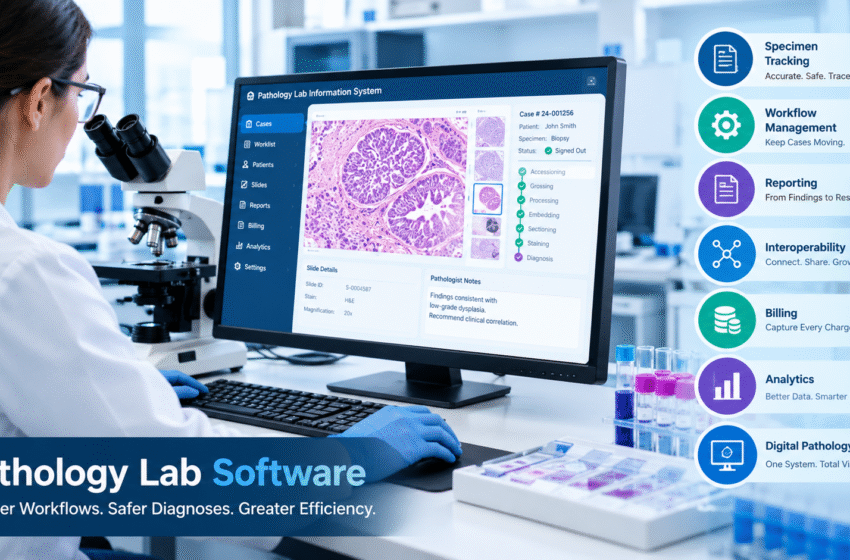
Walk into any pathology lab and you’ll see microscopes, tissue processors, stainers, and maybe a slide scanner or two. What you won’t see as easily is the software running quietly underneath all of it. Yet that software touches nearly every specimen, every slide, and every report that leaves the building.
For lab directors, pathologists, and operations managers, understanding the role software plays isn’t just a technical exercise. It shapes turnaround times, patient safety, staffing needs, and even how much revenue the lab actually collects. Here’s a closer look at what pathology lab software does and why it matters more today than ever.
Table of Contents
The Laboratory Information System Is the Lab’s Central Nervous System
At the heart of most pathology labs sits a laboratory information system, or LIS. Think of it as the system that knows where everything is and what needs to happen next.
When a specimen arrives, the LIS creates a case and assigns it an identity. From there, it follows that specimen through grossing, processing, embedding, cutting, staining, and finally diagnosis. Every step gets recorded. Every handoff leaves a trail.
Without that central record, a lab would rely on paper requisitions, handwritten logs, and memory. That might work for a handful of cases a day. It falls apart quickly once volume grows, staff changes, or a specimen goes missing.
A pathology LIS differs from a general clinical lab system in an important way. Anatomic pathology involves physical tissue that gets divided into blocks and slides, often with recuts, levels, and special stains ordered along the way. The software has to understand that hierarchy and keep every piece tied to the right patient.
Specimen Tracking Protects Patients
Patient safety is the most important job pathology software performs. A mislabeled specimen or a slide attached to the wrong case can lead to a wrong diagnosis, and the consequences can be severe.
Good LIS software reduces that risk by creating a chain of custody from the moment a specimen enters the lab. Barcodes on containers, cassettes, and slides let staff scan items at each station instead of reading and retyping labels. The system flags mismatches before they move further down the line.
Some systems go a step further with discrepancy tools that catch and document errors in a structured way. Rather than handling mistakes informally, the lab can review them, learn from them, and spot patterns over time. That kind of accountability matters during inspections, and it matters even more for patient outcomes.
Workflow Management Keeps Cases Moving
Pathology labs juggle dozens or hundreds of cases at different stages every day. Software helps keep that work organized and flowing in the right direction.
Common workflow features include:
- Worklists that show each team member exactly what needs attention, sorted by priority
- Automatic case distribution that routes cases to the right pathologist based on subspecialty, location, client, or workload
- Status tracking so staff can see at a glance whether a case is waiting on a stain, a recut, or a signature
- Alerts for stat cases or cases approaching turnaround deadlines
These tools cut down on the time staff spend asking questions like “where is this case?” or “who has this one?” They also help balance workloads so one pathologist doesn’t end up buried while another sits idle.
For multi-site practices, workflow software becomes even more valuable. A lab network with several locations needs a single view of case volume and pathologist availability. Otherwise, coordination turns into a string of phone calls and emails.
Reporting Turns Findings Into Results
The final report is what the lab actually delivers. Physicians and patients never see the grossing station or the stainer. They see the report.
Pathology software supports reporting through customizable templates, synoptic reporting for cancer cases, and tools that let pathologists dictate or type findings efficiently. Many labs use voice recognition during grossing and sign-out so staff can keep their hands free and their attention on the tissue.
Once a pathologist signs out a case, the software delivers the report to the ordering provider. That delivery often happens electronically through an interface with the provider’s electronic health record. Speed matters here. A report that sits in a queue or prints to a fax machine nobody checks doesn’t help anyone.
Interoperability Connects the Lab to the Outside World
No pathology lab operates in isolation. It receives orders from clinics and hospitals, sends results back, works with reference labs, and often connects to billing services and instruments.
Pathology software handles these connections through interfaces, usually built on standards like HL7. A lab with strong interoperability can accept electronic orders, return results automatically, and share data with partner systems without manual data entry.
This is one area where labs often feel the pain of older software. Building a new interface can take months if the vendor treats every connection as a custom project. Modern platforms that offer prebuilt connections to common EHRs and lab systems help labs onboard new clients much faster, which directly supports growth.
Billing Software Protects Revenue
It’s easy to overlook billing when talking about lab software, but it plays a major role in whether a lab stays financially healthy.
Every stain, recut, and consult can carry a charge. When those charges depend on someone remembering to enter them manually, revenue slips through the cracks. Software that captures charges automatically as work happens helps close that gap.
Digital pathology adds another layer. Labs reading slides digitally now deal with Category III add-on codes that must be paired correctly with primary services. Software that documents digital reads on the case itself saves pathologists from answering billing questions after sign-out and helps the lab report its work accurately.
Analytics Help Labs Make Better Decisions
Lab leaders need data to run their operations well. How long do cases take from accession to sign-out? Which clients send the most volume? Where do bottlenecks form?
Pathology software with built-in analytics answers these questions without exporting spreadsheets and building reports by hand. Dashboards that track turnaround time, case volume, and pathologist productivity let leaders spot problems early and plan staffing with confidence.
Digital Pathology Raises the Stakes
As more labs adopt digital pathology, software takes on an even bigger role. Scanned slides need to attach to the right case, open in the right viewer, and stay accessible for review and archiving.
In many labs, the case lives in the LIS while the images live in a separate image management system. That split creates extra handoffs, extra windows, and extra chances for error. The industry has started moving toward tighter integration, where the LIS manages both the case and its digital slides in one place.
NovoPath reflects this shift. Its LIS brings digital pathology into the same system that manages the case, so slides stay tied to the right patient, the lab can confirm a case is complete before a pathologist opens it, and digital and glass cases share one worklist. Labs keep the scanners they already own and can go digital one site, specialty, or pathologist at a time.
Choosing Software That Fits the Lab
Not every lab needs the same features, but most benefit from asking a few key questions when evaluating software:
- Does it support every specialty the lab runs, from anatomic and molecular to cytology or veterinary work?
- How quickly can it connect to new clients and partner systems?
- Can lab staff configure workflows and templates themselves, or does every change require a vendor ticket?
- Does it support digital pathology without adding another disconnected system?
- Is it cloud-based, or will the lab need to maintain its own servers?
The right answers depend on the lab’s size, growth plans, and specialties. But the core principle stays the same. Pathology software should reduce manual work, protect patients, and give the lab room to grow.
Software Shapes Everything the Lab Delivers
Pathology labs depend on skilled people and precise instruments. Software ties all of that work together. It tracks specimens, routes cases, builds reports, connects partners, captures revenue, and now increasingly manages digital slides.
When the software works well, nobody thinks about it. Cases move smoothly, reports go out on time, and pathologists spend their energy on diagnosis. When it doesn’t, the whole lab feels it. That’s why choosing the right platform stands among the most important decisions any pathology lab can make.